Daily Tech Briefing
AI 科技速览
每天 5 分钟内学习 AI。获取最新的人工智能新闻,理解其重要性,并学习如何将其应用于您的工作。
Hacker News · 2026/8/3 00:23:21
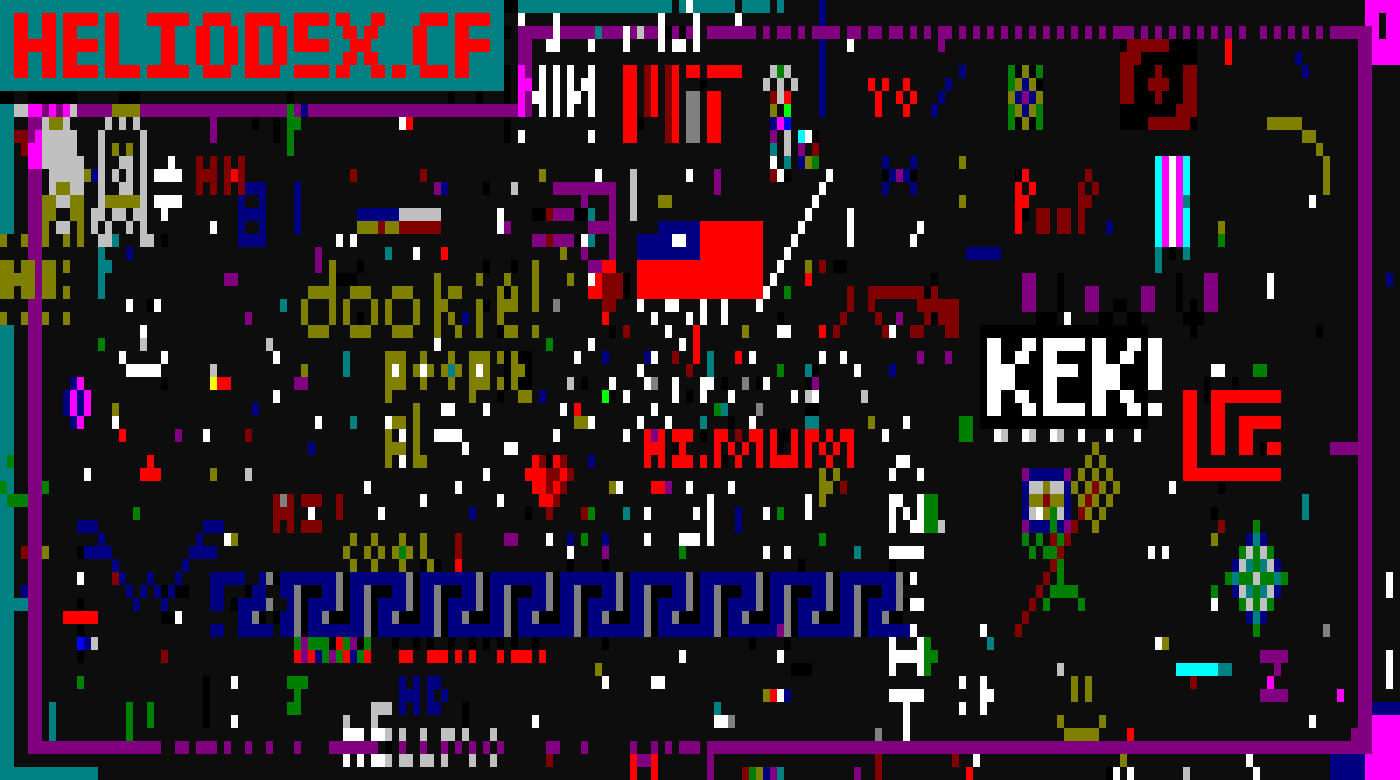
Show HN: ssh ssh.place
AI 中文解读
SSH是程序员用来远程连接服务器的工具,而这个项目用SSH开了一个公共画布,任何有SSH密钥的人都能连上去画画。最吸引人的是它完全不需要注册登录,输入一行命令就能参与,整个画布只有200×60个格子,每15秒才能画一格,所有人共享这个创作空间。对于普通人来说,这相当于一个全球网友共同涂鸦的在线黑板,只不过入口是技术范儿的SSH。虽然它不能写文字、只能画色块,但正是这种简单和限制,反而让协作变得有趣。这个项目的影响在于它展示了技术可以多么轻巧地连接陌生人,不需要安装软件、不需要建账号,甚至不限定于浏览器,让平时不接触命令行的人也能通过这个案例感受一把黑客文化的魅力。对普通用户而言,它更像一个新奇的小玩具,但背后那种“极简、开放、共享”的理念,或许会启发更多类似的有趣应用出现。
ssh.place
One canvas. Everyone draws on it over SSH.
No account, no install · 200×60 cells · one placement every 15s
Draw on it:
ssh ssh.place
Any SSH key works. There is nothing to sign up for.
22 online · 3872 of 12000 cells drawn
How it works
Move the cursor with the arrow keys, wasd or hjkl
The canvas is wider than your terminal, so scroll to pan around. shift+←/→ jumps a whole screen.
Pick a color with 0 to 9. tab cycles through all 16.
space puts down a solid block of that color
Now wait 15 seconds, same as everyone else
This canvas is color only. The server turns down anything with a character in it, so you cannot write text here. Draw something instead.
Your cooldown is tied to your SSH key, so reconnecting will not reset it. This page only reads the canvas. It changes over SSH and nowhere else.
const img = document.getElementById('canvas');
const caption = document.getElementById('caption');
let timer = null;
async function refresh() {
img.src = '/canvas.png?t=' + Date.now();
try {
const s = await (await fetch('/stats.json', { cache: 'no-store' })).json();
caption.textContent = s.online + ' online · ' + s.cells_drawn +
' of ' + s.cells_total + ' cells drawn';
} catch (e) { }
}
function start() { if (!timer) timer = setInterval(refresh, 5000); }
function stop() { clearInterval(timer); timer = null; }
document.addEventListener('visibilitychange', () => document.hidden ? stop() : (refresh(), start()));
start();
canvas ·
stats ·
png ·
open source
分享
阅读原文 ↗