Daily Tech Briefing
AI 科技速览
每天 5 分钟内学习 AI。获取最新的人工智能新闻,理解其重要性,并学习如何将其应用于您的工作。
HackerNoon AI · 2026/7/23 05:50:07
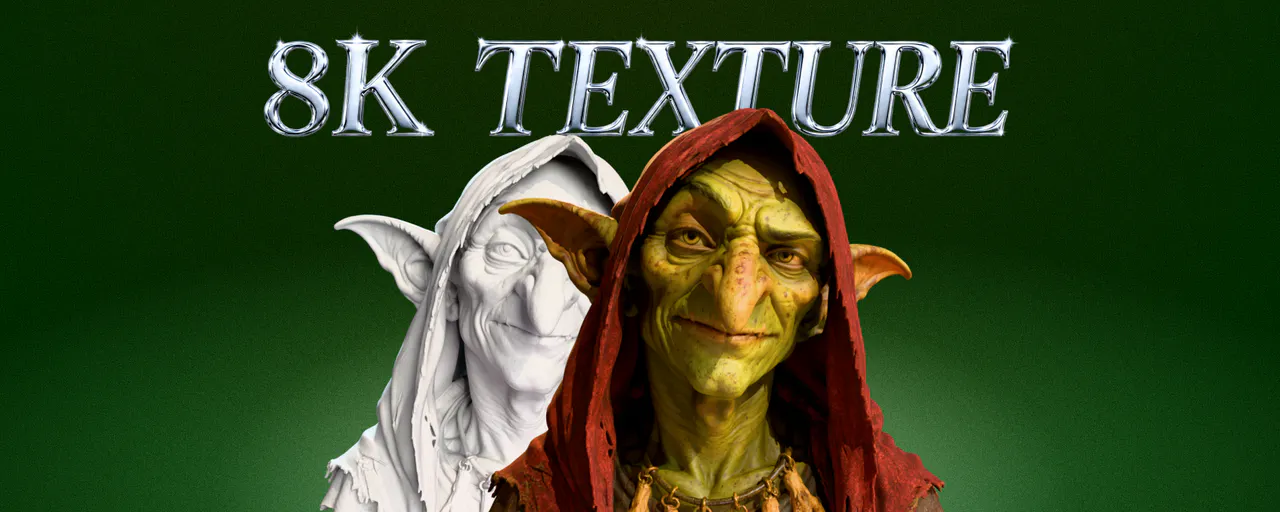
I Ran the Same Models Through Meshy 8K AI Texturing: Resolution, Detail, and De-Lighting
AI 中文解读
Meshy最新推出的8K AI纹理生成技术,真正厉害的不是分辨率,而是“去光照”能力——它能让纹理在不同光照下都保持真实,而不是像以前那样把阴影直接“印”在模型上。简单说,8K纹理就像一张超高像素的照片,但如果照片里已经自带了光线和阴影,换个环境就会穿帮。Meshy这次做到了让纹理本身不携带任何预设光照,保留毛孔、划痕、纤维等真实细节,并且不同视角下纹理一致不穿帮。这意味著,3D建模师、游戏开发者或普通创作者用AI自动生成纹理时,不必担心模型换到不同场景就变得假假的——以前AI生成的纹理常常带奇怪的固定阴影,现在这个问题被彻底解决了。对普通人来说,未来看3D展示、玩虚拟现实、甚至电商产品展示,画面会更逼真自然,不再有“一眼AI”的廉价感。
Discover AnythingSignupWrite 115 readsI Ran the Same Models Through Meshy 8K AI Texturing: Resolution, Detail, and De-LightingbyBrunoLibyBrunoLi|@runboliDesigner at Meshy.SubscribeJuly 23rd, 2026TLDR Translations ENRUESFRJAAMSKKMROSQTABSHRENRUESFRJAAMSKKMROSQTABSHRYour browser does not support the audio element.Speed1xVoiceDr. One Ms. Hacker byBrunoLi@runbolibyBrunoLi|@runboliDesigner at Meshy.SubscribebyBrunoLi|@runboliDesigner at Meshy.SubscribeI wanted to know honestly how Meshy new 8K texturing holds up in a real PBR scene. So I ran the same models through 8K texturing and looked closely.
Below is what I found: Only the resolution number doesn't separate tools anymore. Many of AI 3D tools advertise high-res, even 8K, textures today. A texture at 8192×8192 has four times the pixels of a 4K map — and that's completely wasted if the pixels carry baked-in lighting, or smear into noise when you zoom in. So I went looking for the axes that actually change whether an 8K texture earns its file size.
The short version: resolution is the price of entry; de-lighting is the competition.
At a Glance: What Actually Separates 8K Textures
What I tested
Why it matters
What I found with Meshy
De-lighting (neutral base color)
A texture with lighting baked in looks right only under the light that made it. Relight it and the old shadows fight your scene.
Cleanest of what I tested — most neutral base color, least baked-in shadow.
Detail retention at 100%
8K only matters if real detail is there at 8K — not sharpening dressed up as detail.
Pores, scratches, fiber stayed resolved at native zoom, no noise-like breakup.
Material honesty
Canvas should read as canvas, metal as metal — with clean separation on multi-material assets.
Materials stayed distinct and recognizable across the assets I tried.
Consistency across views
Seams and drifting detail between angles are the classic AI-texture tell.
Multiview Diffusion kept detail coherent view-to-view.
Where it applies
A texturing upgrade is only useful if it works on the models you already have.
Ran across imported, standard, remesh, topology, segmented, and already-textured models.
What Resolution Buys You and What Not
To show what the resolution tier actually buys you, here's the same carved box textured at 2K and at 8K: same model, same prompt, with only the base-color resolution changed. That's the honest case for 8K. Not sharper-looking pixels, but more genuine surface information that survives a close camera. Two things keep it honest, though: this gain shows up on a hero asset like this, not on a background prop no one zooms into; and resolution is what gets you to the table, not what wins it, which is why this piece keeps coming back to de-lighting.
Meshy 2K vs 8K texturing on the same asset
Here's the trap. "8K" fits on a banner. It's a clean, big, comforting number, and it feels like it should settle the question. It doesn't — for two reasons I kept running into.
First, high pixel counts are common now. When a capability is a checkbox on everyone's feature page, it can't be your differentiator. You have to look at what those pixels actually contain.
Second, resolution says nothing about whether the texture is clean. This is the one that matters. An 8K base color with highlights and shadows baked into it is a high-resolution problem: it looks great in the preview that generated it and wrong under every other light. A neutral 4K map beats a dirty 8K one in a PBR pipeline every single time.
So the three things I actually measured were de-lighting, real detail at native zoom, and material honesty. Resolution was the entry fee for all of it.
What I Tested
I textured the same set of models at the highest base-color setting available and compared the outputs at 100% zoom in the same neutral lighting — then relit every one of them in an identical PBR setup to see which base colors stayed neutral.
I picked subjects where texture does the heavy lifting:
Texture-dense surfaces — canvas, leather, wov
分享
阅读原文 ↗