Daily Tech Briefing
AI 科技速览
每天 5 分钟内学习 AI。获取最新的人工智能新闻,理解其重要性,并学习如何将其应用于您的工作。
Engadget AI · 2026/7/21 18:30:00
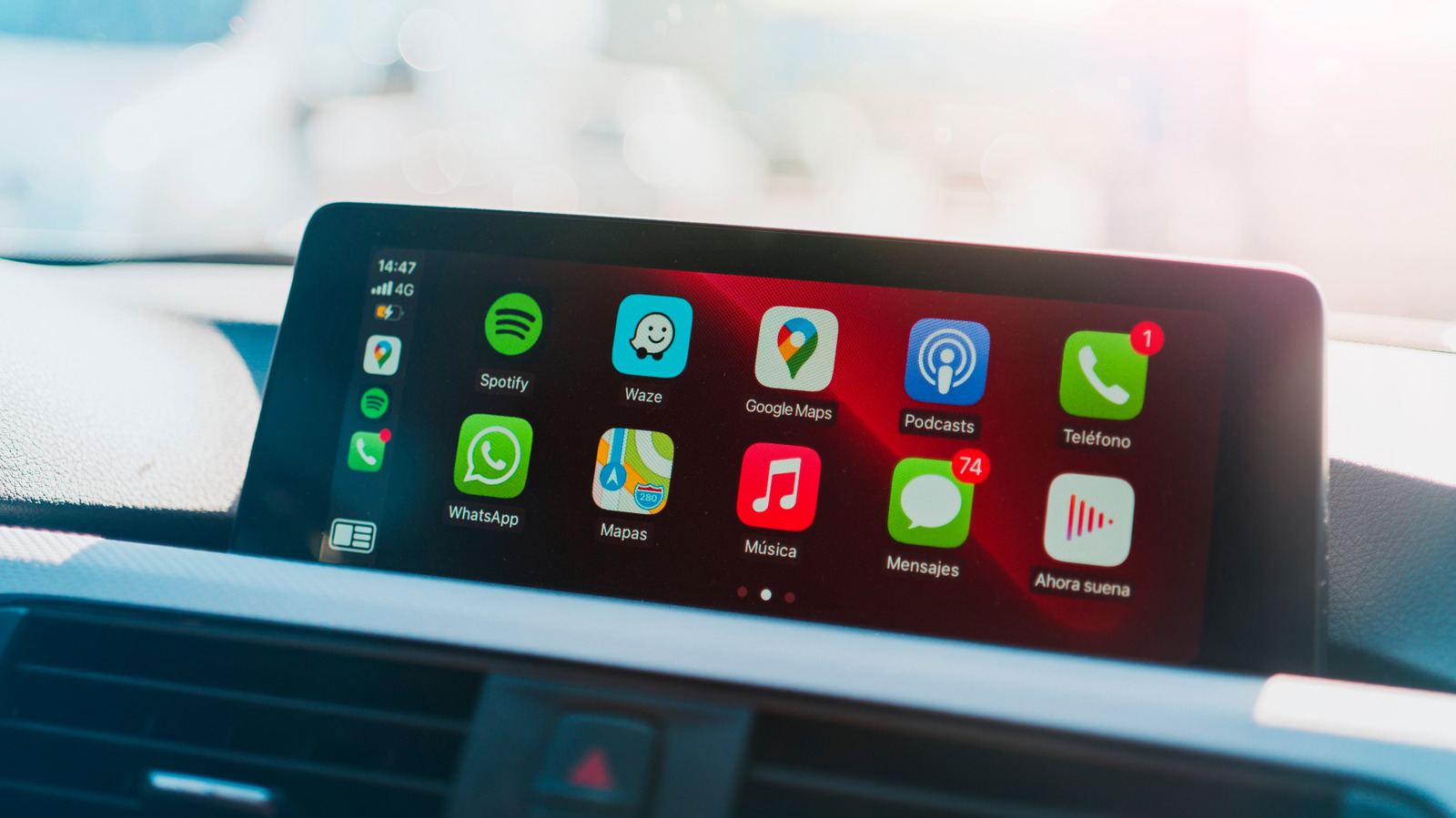
We tested dozens of free CarPlay apps, here are the best ones
AI 中文解读
Engadget AI最新评测:测试了几十款免费CarPlay应用后,他们选出了最好用的导航、音乐等工具。CarPlay其实就是把手机功能投射到汽车中控大屏上,让你开车时不用再费劲架手机看导航。现在很多新车都标配这项功能,它比手机APP操作更清晰、界面更大,但切记开车时少碰。这篇文章作者用了五年多CarPlay,发现不同车型体验差异很大——老车得连数据线,新车能无线连接,有些豪华车甚至能跨屏幕显示。经过海量测试,他们推荐了像谷歌地图这样的免费应用,能用语音说目的地就能导航,还能实时报告路况和警察位置。对于普通车主来说,这份评测直接帮你省去瞎折腾的时间,挑出真正好用的免费车载应用,让开车导航、听歌变得更安全、更方便。
News
Apps
We tested dozens of free CarPlay apps, here are the best ones
The best options for music, navigation and more.
By Devindra Hardawar
July 21, 2026 2:30 pm EST
Manu Padilla/Shutterstock
CarPlay has gone from being a "nice to have" feature for consumers, to something they actively seek out when looking for new vehicles. And that makes sense: If you've got a large infotainment screen in your car, why deal with mounting your phone like the old days? CarPlay (along with Android Auto) basically projects functionality from your phone, similar to adding a second monitor to a PC or laptop. CarPlay apps are designed to be easier to use from your driver's seat, with larger interfaces and clearer menus than the iOS apps they're based on. (Though you should still avoid interacting with them while driving.)
It's worth noting that CarPlay looks and feels different across various cars and manufacturers. Older vehicles typically require a wired connection, whereas newer models can connect wirelessly. (There are a variety of accessories that can also let you bring wireless functionality to wired CarPlay models, like the CarlinKit.) Some car makers restrict CarPlay apps to small windows within their infotainment systems, while others let it take over entire screens. And if you're the lucky owner of something compatible with CarPlay Ultra, which at this point only includes newer Aston Martins, then you'll get an expensive CarPlay view across your driver and infotainment displays.
After using CarPlay for more than five years and testing dozens of apps specifically for this story, I've narrowed down the list of CarPlay apps you really need to use.
Google Maps
Google Maps was one of the most useful CarPlay apps when they first arrived, and it remains one of the best navigation options around. The Google Maps CarPlay app lets you easily set destinations using voice commands, report and respond to events on the road (like police presence and debris), and see the traffic flow of your route. The downsides? It's far more annoying to preview what's coming up in your route, compared to just swiping around a phone, and the app sometimes loses track of your location.
Apple Maps
Apple
Despite its inauspicious launch, Apple Maps has turned itself into a true Google Maps competitor over the years. With CarPlay, Apple Maps can also do a few things better, like giving you more conversation directions (I.e, "Turn right after the next light"), compared to Google Maps' more stiff tone. If you're wearing an Apple Watch, the Apple Maps app will also gently nudge you when it's time to prepare for a turn or highway exit. Some cars can also display Apple's navigation information in the driver display, which is less common with Google Maps.
分享
阅读原文 ↗